
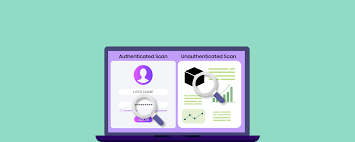
There are two basic ways to scan a system for weaknesses. You can look at it from the outside, the way a stranger on the internet would. Or you can look at it from the inside, the way a logged-in user would. These two views are called unauthenticated and authenticated scans. Don’t let the names put you off. Both are simple ideas, and most of the value comes from matching each scan to the right situation.
The Outside View: Unauthenticated Scans
An unauthenticated scan checks your system without logging in. It sees only what anyone on the internet can see. Picture a person walking around the outside of a building, testing which doors and windows are unlocked. They can’t get in, but they can spot the obvious weak points from the street. This kind of scan is good at finding:
- Open doors to the internet that should be shut.
- Services left public that were meant to stay private.
- Out-of-date software that announces its version to anyone who asks.
- Basic setup mistakes that are visible from the outside.
This approach is fast and almost does not need preparation. It shows you what an attacker notices first. If you want more examples of how these scans perform, the team behind https://topscan.me/blog writes about it regularly.
The Inside View: Authenticated Scans
An authenticated scan logs in first, using real account details. The scanner sees what a trusted user sees. Back to the building example, this is like handing someone a key and letting them walk the hallways, check the interior locks, and read the notices on the walls. Since it works from the inside, this scan uncovers deeper problems:
- Missing security updates on software running behind the login.
- Weak settings that only appear once you are in.
- Accounts that have more access than they should.
- Hidden issues an outside scan would never reach.
How The Two Compare
| Unauthenticated Scan | Authenticated Scan | |
| Point of view | Outside, like a stranger online | Inside, like a logged-in user |
| Login needed? | No | Yes |
| Speed / setup | Fast, almost no setup | Slower, needs credentials |
| What it finds | What attackers see first | Problems hidden behind the login |
| Main limitation | Misses internal trouble | Takes more to arrange |
| Best for | Public websites and APIs | Internal tools and sensitive data |
Neither is better in every case. They answer different questions. The outside scan asks how exposed a system is currently. The inside scan asks how healthy it is underneath.
Which One Does Your System Need?
For most growing SaaS companies, the answer is both, used for different reasons.
- Run unauthenticated scans often to watch what the outside world can reach. Treat this as your early warning system.
- Run authenticated scans on the systems that handle sensitive data, since that’s where hidden problems do the most damage.
- Lean on the outside view for public websites and APIs.
- Lean on the inside view for internal tools and anything holding customer records.
Making Both Work Without the Headache
Running two kinds of scans by hand gets tedious quickly, especially for a small team. This is where automating the work helps most. TopScan checks servers, APIs, and software using trusted open-source engines. It can handle both the outside and the inside view from one place. It groups the results so the serious issues are easy to pick out, keeps scanning as systems change, and fits into the release process so the checks run automatically.
read more : Prepare For IELTS And TOEFL With Free Practice Tests
