
A flail mower can continue running even when its blades are no longer working as they should. The problem may first appear as uneven cutting, increased vibration, more vegetation left behind, or visible changes in blade condition. These signs can be easy to overlook when the mower is still operating. You do not always need to wait until a blade breaks to identify a problem. Checking the mower’s performance and blade condition regularly can help you spot issues earlier.
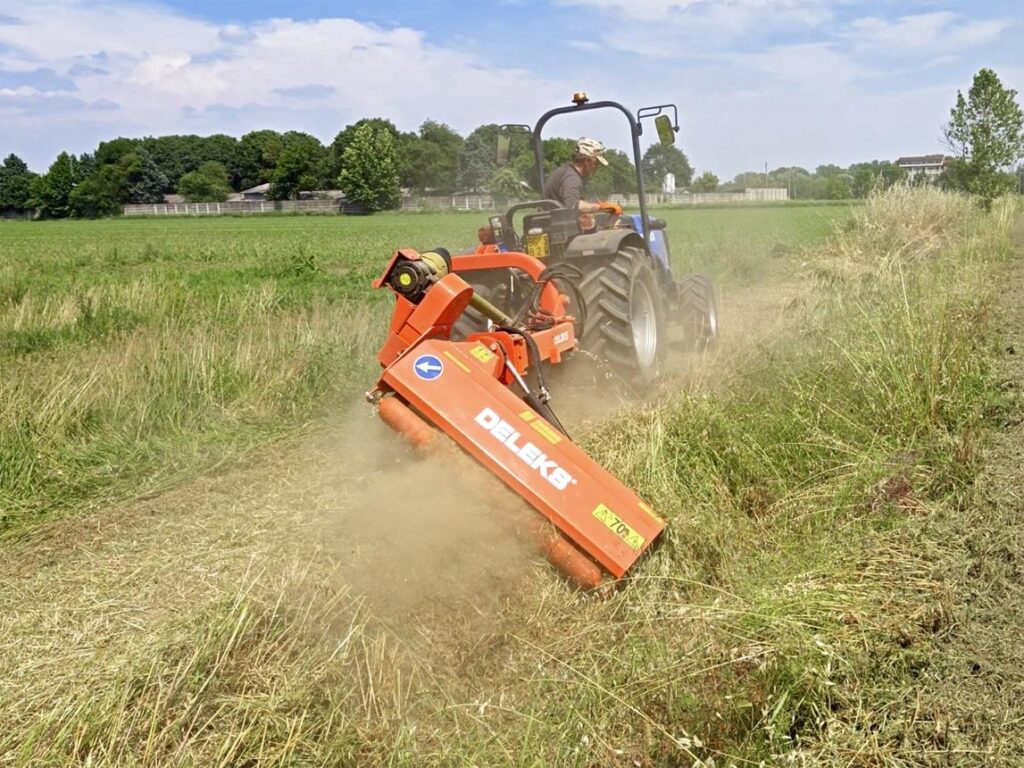
Check the Cutting Quality
The cutting result is one of the easiest ways to tell whether your flail mower blades are working properly. When flail hammer blades are in good condition and correctly installed, they should cut vegetation relatively consistently across the working width of the mower.
Pay attention to changes such as:
- Uncut strips: Sections of grass or weeds remain standing after the mower passes.
- Uneven cutting height: Some areas are cut noticeably shorter or higher than others.
- Vegetation left behind: More material remains on the ground instead of being properly processed.
- More passes required: You need to go over the same area again to achieve the result you normally get in one pass.
- A poorer finish: The mower produces a noticeably less consistent result under similar working conditions.
A change in cutting quality can be an early sign that the blades are worn, damaged, or not moving as intended. However, also check the mower’s operating speed, cutting height, and rotor speed before assuming the blades are the only cause.
Pay Attention to Unusual Vibration
A sudden increase in vibration is another sign that something may not be working correctly. A flail mower normally produces some vibration during operation, but a noticeable change from its usual operating condition deserves attention.
Check the blade assembly if you notice:
- Uneven blade wear: Some blades may have worn down much faster than others.
- A damaged or missing blade: One missing or badly damaged blade can affect rotor balance.
- Loose mounting hardware: Loose bolts, pins, or holders can allow a blade to move abnormally.
- Uneven blade weight: Significant differences between blades can affect the balance of the rotor.
- Rotor imbalance: Problems with the rotor itself can also create excessive vibration.
Vibration does not always mean the blades themselves are defective, but the blade assembly should be one of the first things you inspect. Continued operation with abn
Look at the Blade Condition
A visual inspection can tell you a lot about the condition of your flail mower blades. Before checking, make sure the mower is stopped safely and the rotor cannot move. Then inspect several blades across the rotor rather than looking at only one.
Look for signs such as:
- Excessive wear: The cutting surface has become noticeably thinner or worn down.
- Bent or deformed blades: The blade no longer keeps its original shape.
- Cracks: Check the blade body and the area around the mounting hole for visible cracks.
- Deep dents or chips: These may indicate repeated impacts with rocks or other hard objects.
- Damaged mounting holes: Enlarged, worn, or damaged holes can affect how the blade is mounted.
- Uneven wear: Some blades may look significantly different from others on the same rotor.
Comparing multiple blades helps you identify uneven wear that may otherwise be easy to miss. If several blades show similar wear, normal operating conditions may be the main cause. If only a few are significantly different, check their mounting and position on the rotor.
Check How the Mower Handles Vegetation
Watch how vegetation moves through the mower during operation. When the blades are working properly, material should enter the cutting area and be processed without unusual buildup or a sudden drop in cutting efficiency.
Signs of a possible problem include:
- Material buildup: Vegetation accumulates inside or around the cutting area instead of moving through normally.
- Slower working speed: You need to reduce travel speed more than usual to maintain acceptable results.
- More passes: The mower leaves enough material behind that you need to cover the same area again.
- Poor processing: Dense vegetation passes through but remains only partially cut or processed.
These symptoms do not always mean the blades are worn or damaged. Rotor speed, mower capacity, and the amount of vegetation entering the cutting area can also affect material flow. Compare the mower’s current behavior with how it normally operates under similar conditions before deciding whether the blades need attention.
Inspect the Mounting and Rotor Setup
A blade can be in good condition and still perform poorly if it is not mounted correctly. Check the mounting system whenever you notice uneven cutting, unusual movement, or differences between individual blades.
Pay attention to:
- Mounting bolts or pins: Make sure they are secure and show no obvious damage.
- Blade holders: Check for excessive wear, cracks, or deformation.
- Mounting holes: Look for damage or excessive wear that could allow unwanted blade movement.
- Blade orientation: Make sure the blades are installed in the correct position for the mower.
- Rotor balance: Uneven blade placement or missing blades can affect rotor balance.
If the mounting components are worn or damaged, installing a new blade alone may not solve the problem. The blade, holder, mounting hardware, and rotor should work together correctly for consistent operation.
Compare Current Performance With Normal Operating Conditions
One poor mowing result does not necessarily mean the blades have a problem. To make a useful comparison, look at the mower under conditions that are as similar as possible. Use the same mower and compare similar vegetation, cutting height, travel speed, and ground conditions.
If the mower previously produced a clean cut but now:
- leaves more vegetation behind,
- cuts less evenly,
- vibrates more than usual, or
- requires additional passes,
the blade condition deserves closer inspection. Comparing current performance with the mower’s normal operating behavior can help you separate a temporary change in working conditions from a problem that may require blade inspection or replacement.
When to Consider Replacement Blades
If your flail mower is no longer cutting as it normally does, first check the operating conditions, mounting system, and rotor. If these are in good condition but the problem remains, the blades may have reached the end of their useful life.
You should consider replacing the blades when you find:
- Severe wear: The cutting surface has worn down significantly and the mower no longer cuts vegetation effectively.
- Cracks or broken sections: Damaged blades should not continue to be used simply because the mower can still operate.
- Bent or badly deformed blades: A blade that has lost its original shape may affect cutting and rotor balance.
- Damaged mounting holes: Excessive wear around the mounting hole can prevent the blade from being held securely.
- Persistent poor cutting: If the mower continues to leave uncut or poorly processed vegetation after other possible causes have been checked, worn blades may be responsible.
When replacing blades for flail mower, do not choose them based only on appearance. Check the blade dimensions, mounting hole, mounting arrangement, and other specifications required by your mower. This helps ensure the replacement blades fit the rotor correctly and are suitable for the way you use the machine.
Conclusion
A flail mower does not need to stop working before its blades need attention. Changes in cutting quality and machine behavior can provide useful early warnings. Regularly checking the mower can help you identify blade problems sooner and address them before they lead to more serious operating issues.
